
Use multiple providers
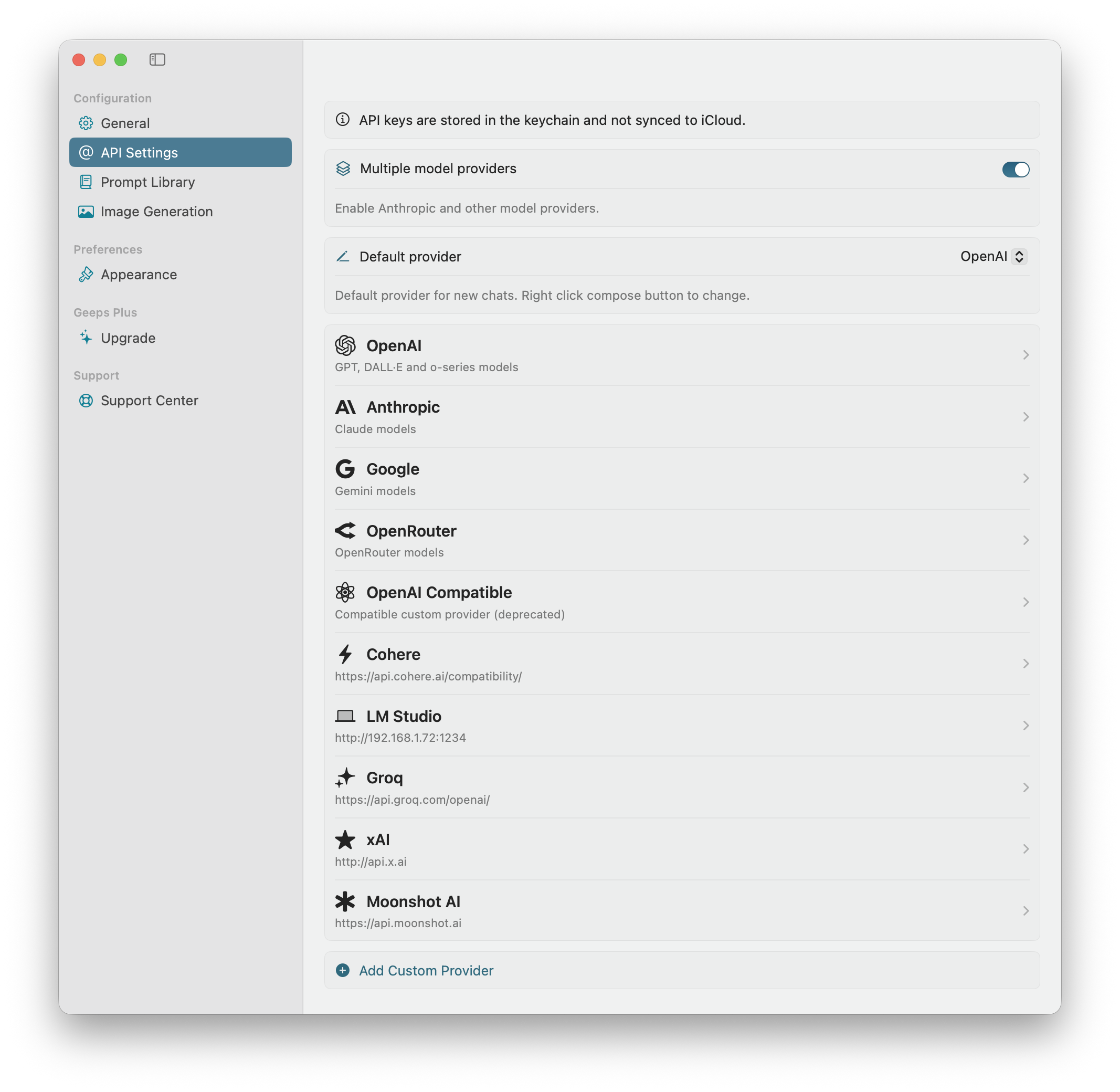
In addition to built-in providers you can now add multiple custom providers
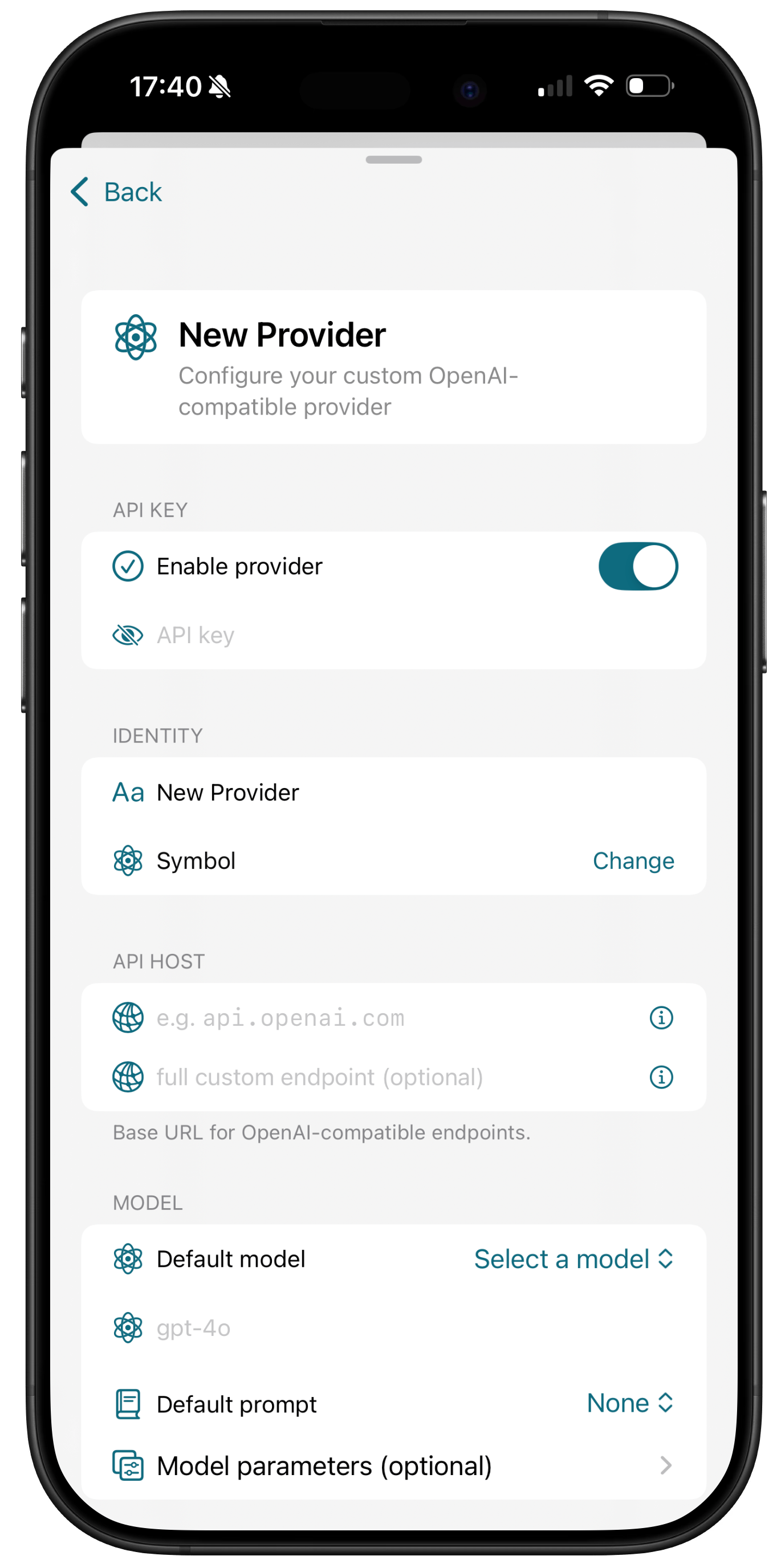
1/2Open Settings > API Settings and tap Add Custom Provider. Enter your credentials
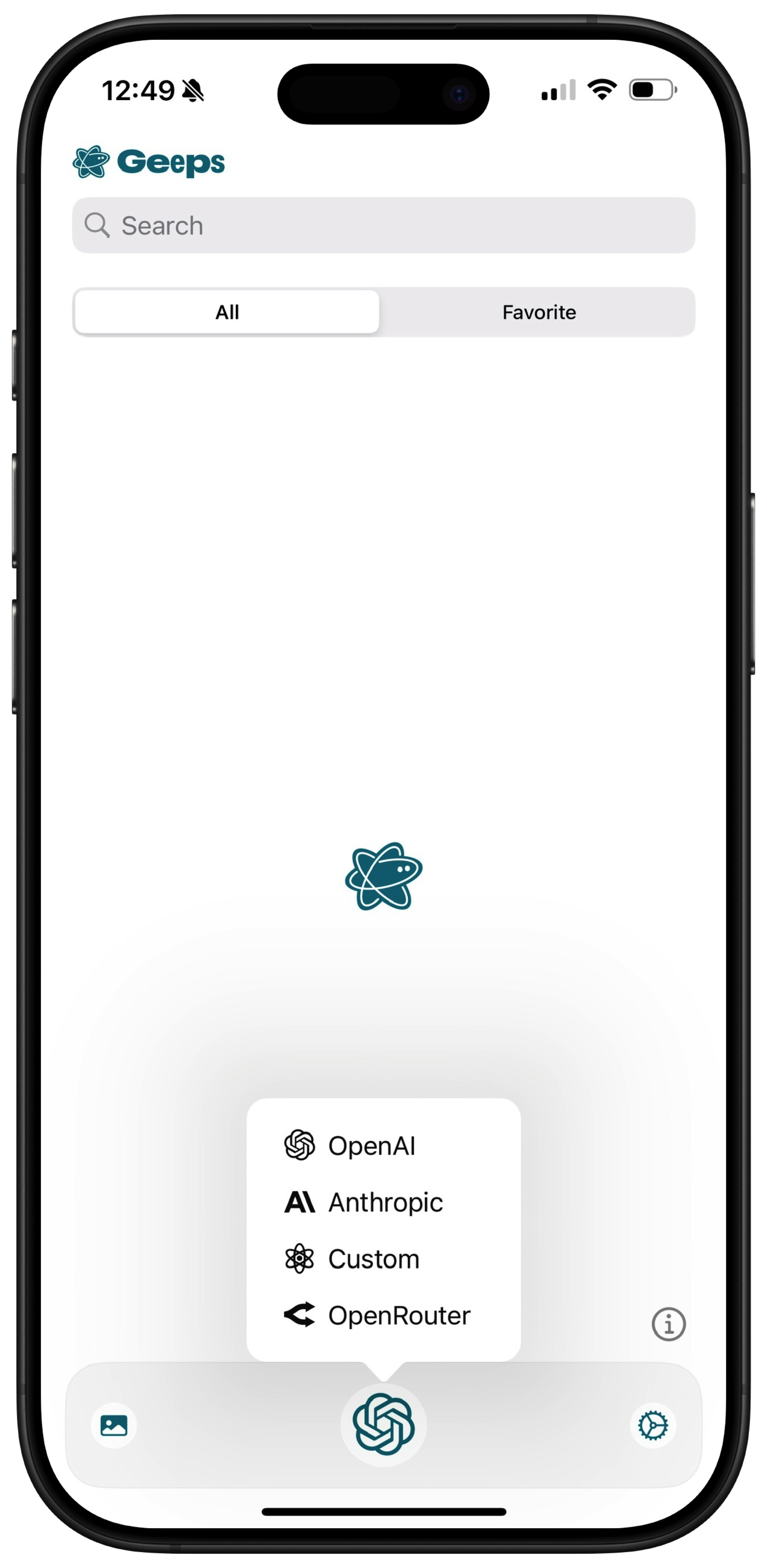
2/2Long-press the compose button to switch default provider
Custom providers
You can add multiple custom providers compatible with OpenAI Chat Completions API (Responses and Messages API for custom providers will be added in a future release).
Follow these steps:
- In
API Settingsclick / tap "Add Custom Provider" - fill the form with API credentials
- pick a name and icon for the provider
- enter
Base URLfor the API, for examplehttps://api.x.ai. Preview the endpoint below the field. It should look likehttps://api.x.ai/v1/chat/completions - instead of Base URL you can also enter the full Chat Completions endpoint, e.g. Azure
- important! use either Base URL or full endpoint, not both
- load models (if the endpoint supports
/v1/models) or enter model name manually - hit Submit to test the API key (make sure your account has a positive balance!)
Switching providers
When you switch default provider, the logo on the compose button changes to the selected provider. After this all new chats will use the selected provider.
You can not switch provider for the existing chat. To use a different provider, start a new chat.